Add dollars, euros and yen in one sum.
Calcurate is the multi-currency calculator for iPhone, iPad and Android. Tag each amount with its currency, press equals, and get one answer with live exchange rates. On a keypad that sounds and feels like a mechanical keyboard.
- 15 currencies
- Live rates, works offline
- No account needed
- Home screen widgets
How it works
Three taps from mixed prices to one total
Most converters handle one amount at a time. Calcurate treats currencies as part of the maths, so a whole receipt, trip or invoice list becomes a single calculation.
Type an amount, tap its currency
Each amount wears its own currency tag. Tap the key before or after the number.
Keep going in any currency
Add, subtract, multiply or take a percentage. Mix up to three quick keys from 15 currencies.
Press = for one answer
Everything converts to your base currency at live rates, with a breakdown of each conversion.
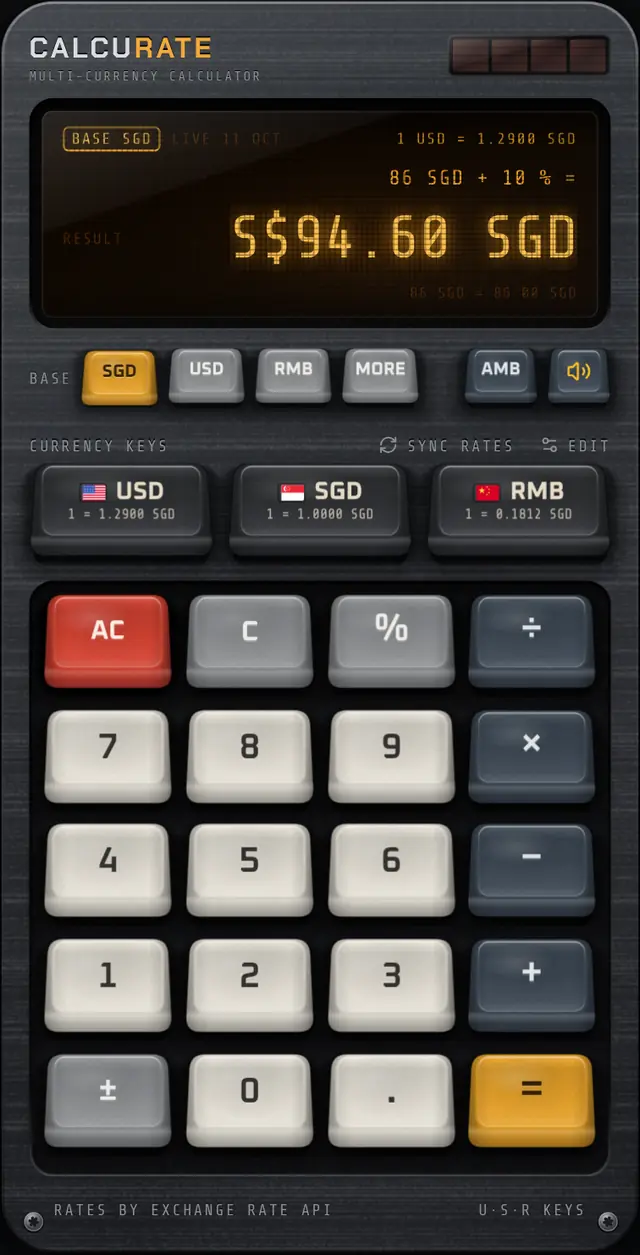
Example uses illustrative rates of 1 USD = 1.29 SGD and 1 USD = 7.12 RMB.
currencies in one keypad
keycap sets to swap in
display tints
accounts or sign-ups
Features
A calculator built for money that crosses borders
Every feature exists for one reason: to make mixed-currency maths fast, clear and pleasant to do.
Mix currencies in one sum
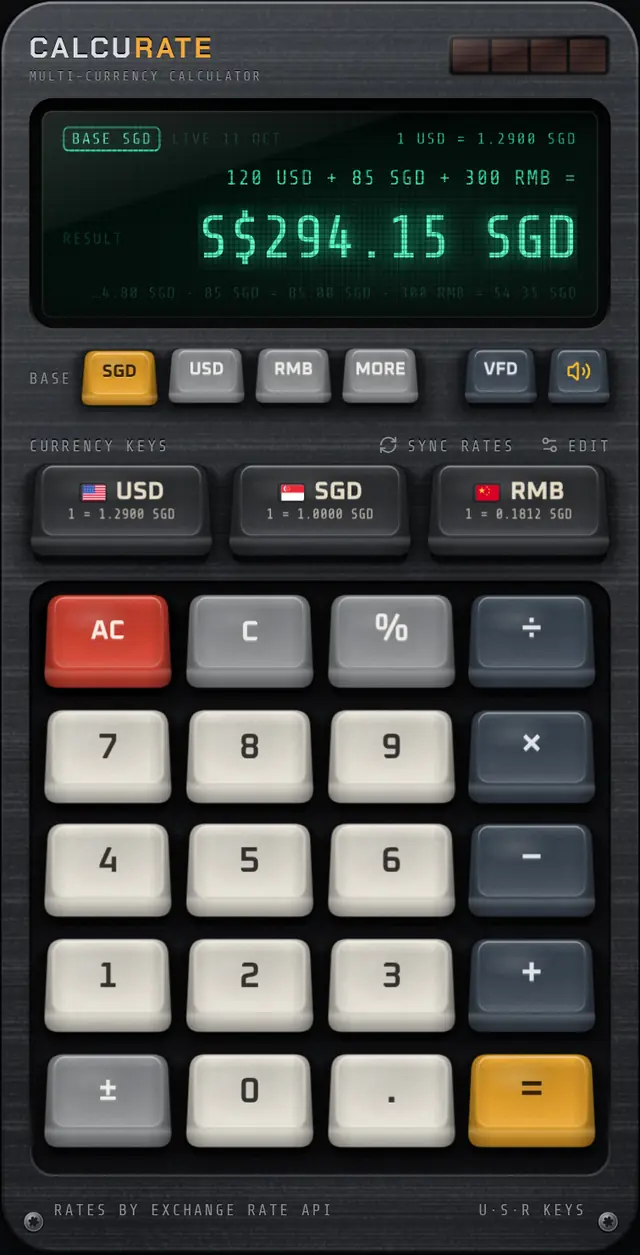
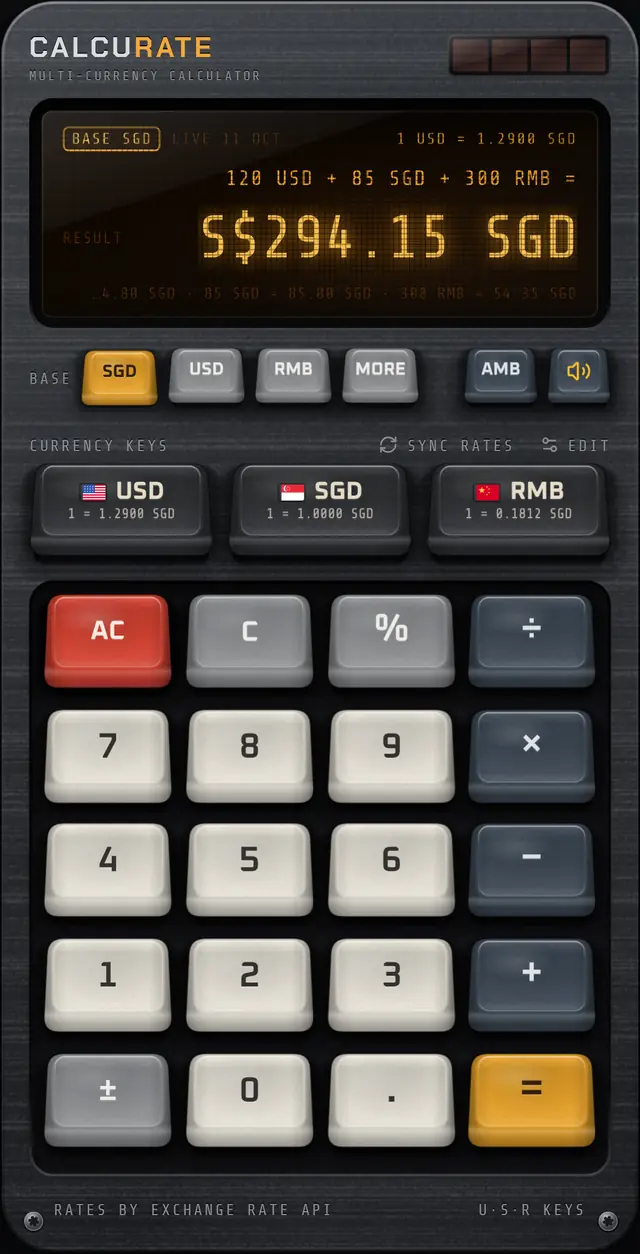
Type 120, tap USD, add 85 SGD and 300 RMB. Press = and get one answer in your base currency, with every conversion shown.
Learn more →Live rates, honest labels
Daily rates from ExchangeRate-API with a European Central Bank fallback. The display always shows the source and date.
Learn more →A keypad you can feel
Real mechanical switch recordings, keys that fire on the way down, and a haptic tap on every press.
Learn more →Keycap Studio
Hold any key for 3 seconds to pull its cap, then swap between 6 keycap sets in a 3D carousel.
Learn more →Home screen widgets
See the rate at a glance, or type an amount on the large widget and convert without opening the app.
Learn more →VFD, amber or LCD
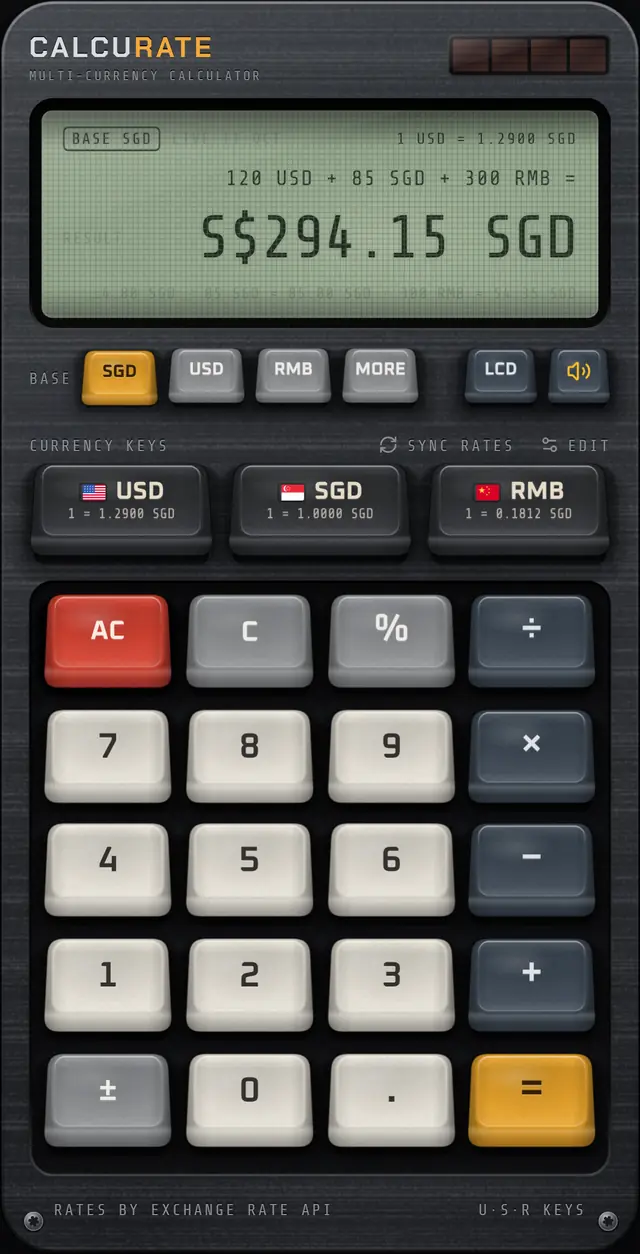
Pick a glowing emerald vacuum-fluorescent display, warm amber phosphor or a classic grey-green LCD.
Learn more →See every step
One answer, with the working shown
The display keeps the full equation above the answer and a breakdown line below it, so you can check each conversion before you trust the total.
- Change the base currency while the answer is on screen and it recalculates instantly.
- Percent works like a desk calculator: 86 + 10% = 94.60, perfect for service charge, tax and tips.
- Carry the answer forward: press an operator after = to keep calculating.
- Correct currency decimals: yen and won show whole numbers, dollars show cents.
Keycap Studio
Hold any key. Pull the cap. Swap the whole set.
Hold a key for 3 seconds and its cap rocks, pops off the switch and floats up. Swipe through six sets and install one: the cap slams home and the shock ripples a new set across the board.
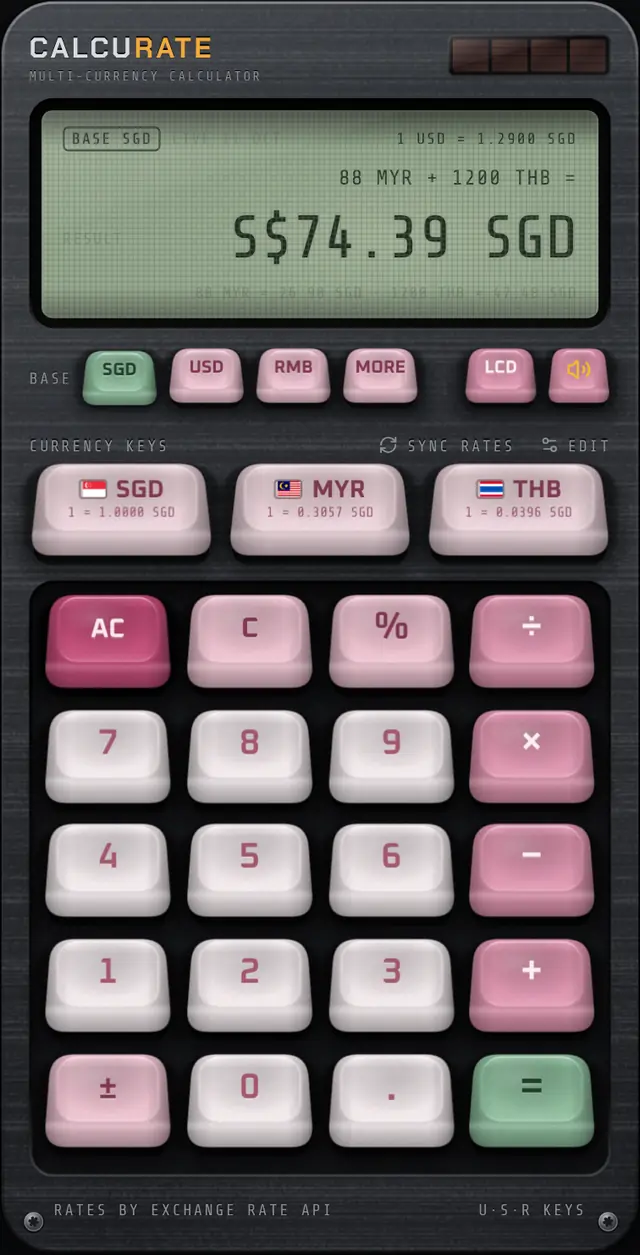
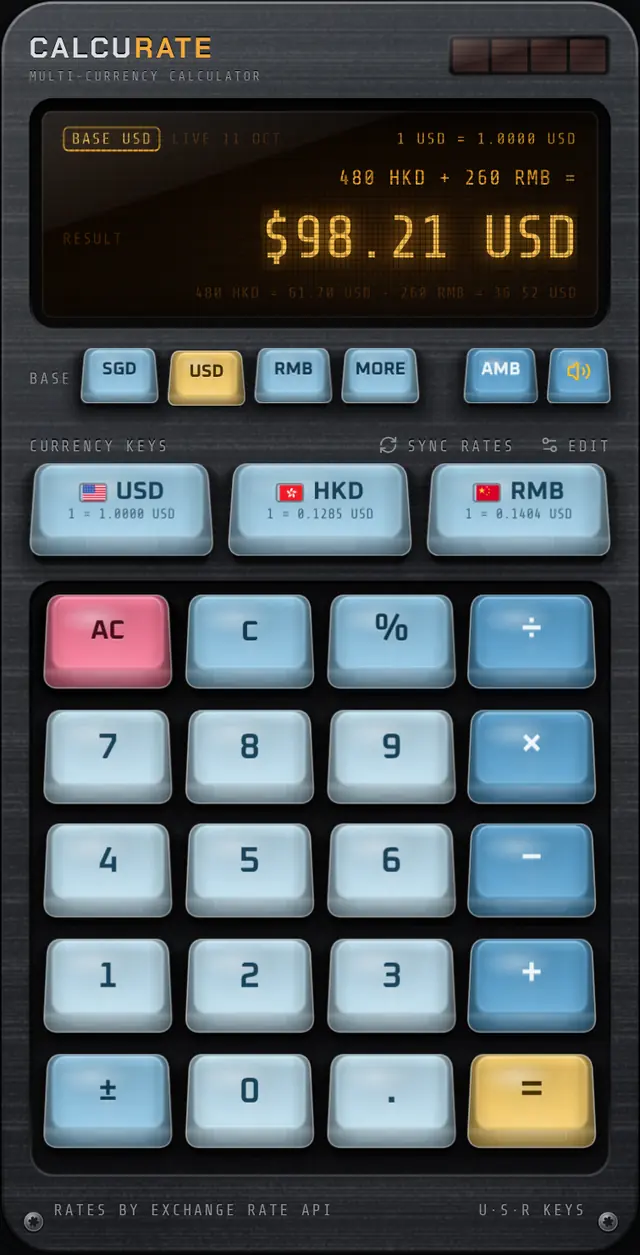
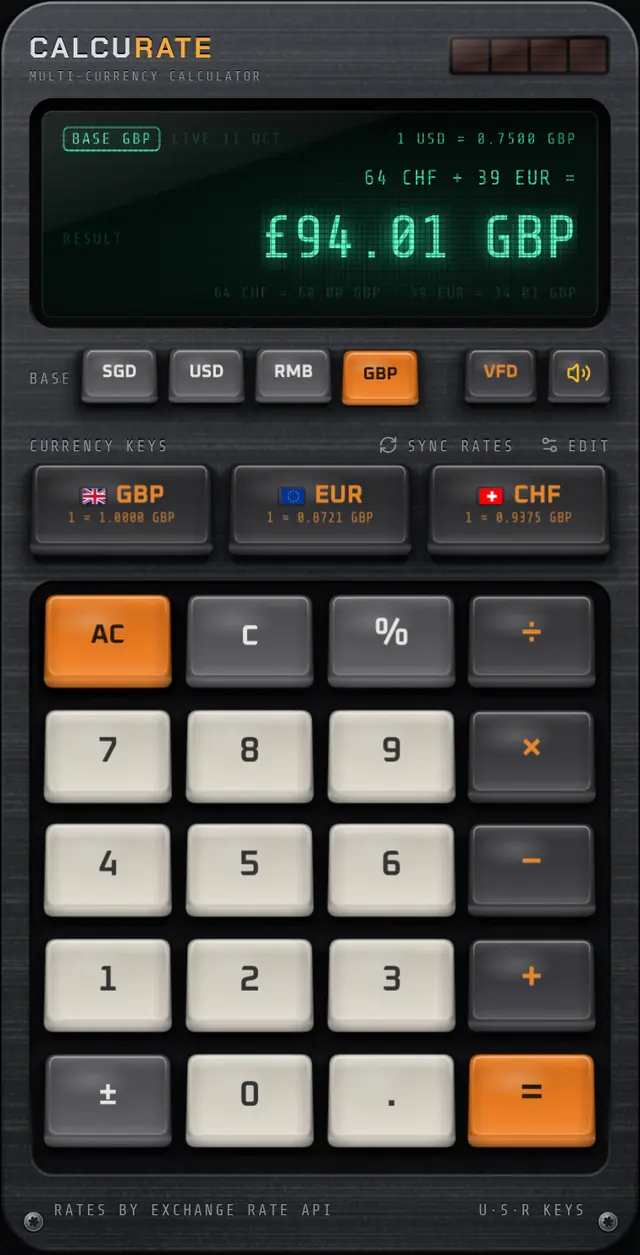
Display tints
Three classic displays, one key
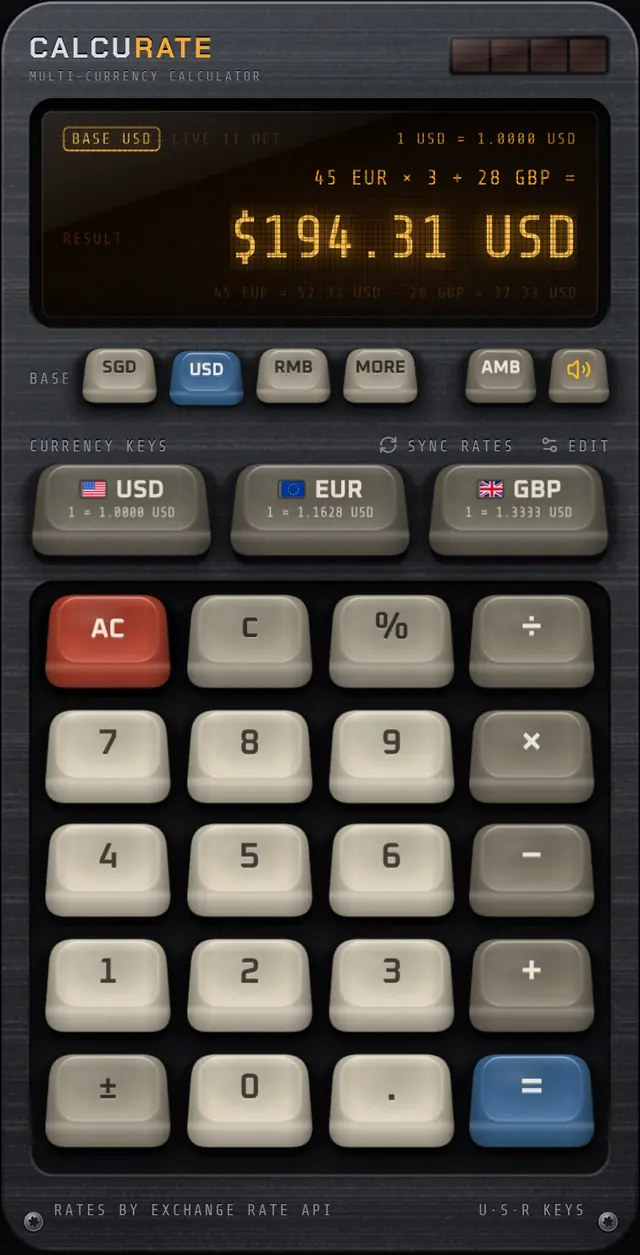
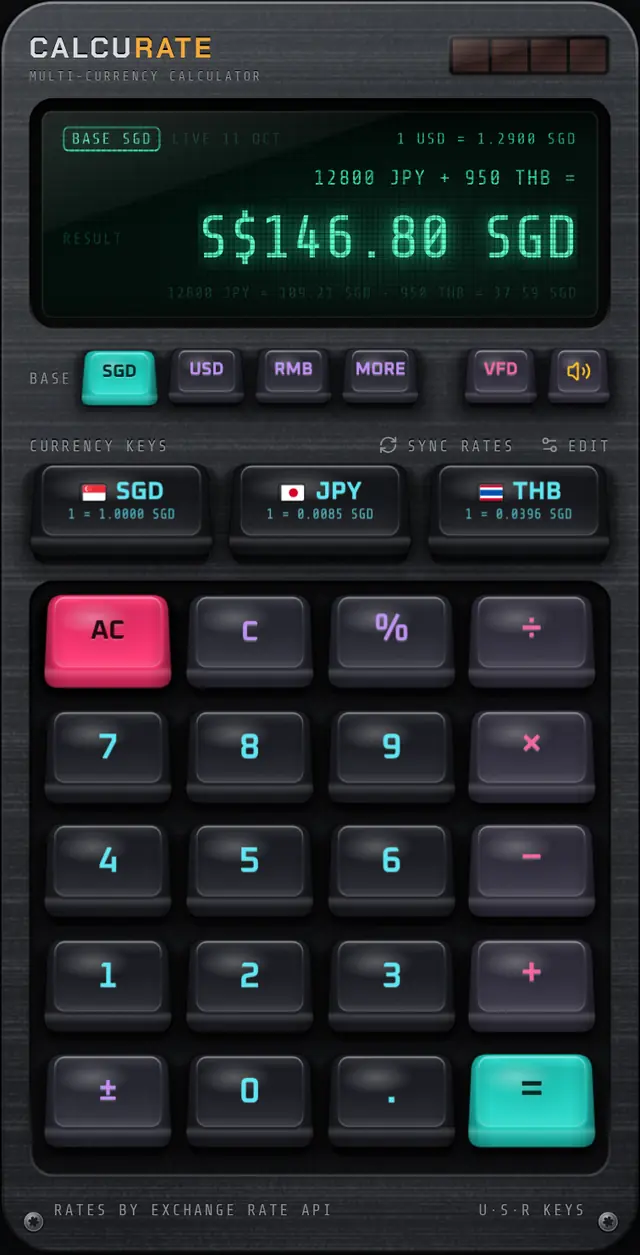
Tap the display key to switch between a glowing emerald VFD, a warm amber phosphor and a crisp grey-green LCD. Each sits behind glass with a fine mesh and soft glow, like the calculators and hi-fi decks that inspired it.
VFD: emerald vacuum-fluorescent glow
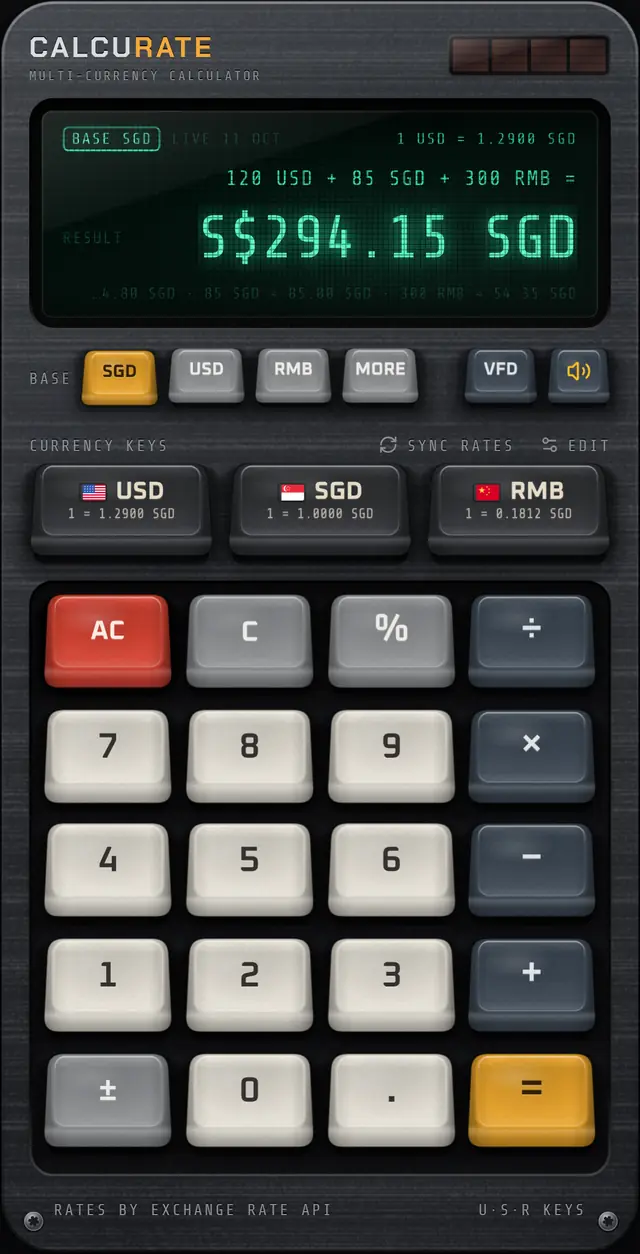
Widgets
Convert from your home screen
Small shows the rate both ways. Medium adds three round amounts. Large has its own number pad: type an amount and the conversion updates right on the home screen, without opening the app.
Exchange rates
You always know where the rate came from
Calcurate shows the source and publish date of its rates on the display, like LIVE 10 OCT. If a source fails, it falls back to the next one and tells you.
ExchangeRate-API
Daily mid-market rates for all 15 currencies.
European Central Bank
Reference rates via Frankfurter, each working day.
On your device
Rates are kept for an hour. SYNC RATES fetches fresh ones.
Bundled rates
Still works in airplane mode, clearly marked as offline.
Made for
Anywhere two currencies meet
Travel
Add up a day of spending across a border, check a hotel quote against your budget, or split dinner bills paid in two currencies.
Shopping
Compare the same product priced in yen, euros and dollars, then add shipping and tax to see the real total.
Work
Total invoices from clients paying in different currencies, or check what a foreign-currency rate is worth at home.
Remote life
Rent in one currency, salary in another, subscriptions in a third. See your month in the currency you think in.
Guides
Money maths, explained
Best Currency Calculator App: A Buyer's Checklist for 2026
The best currency calculator app lets you mix currencies in one sum, shows where its rates come from and works offline. Use this checklist before you install.
8 Oct 2026 · 7 min readKeyboards & designVacuum Fluorescent Display: How VFDs Work and Why They Glow
A vacuum fluorescent display glows when electrons strike phosphor in a vacuum tube. See how VFDs work, why calculators used them, and how they compare to LCD.
5 Oct 2026 · 5 min readWork & businessHow to Compare Prices in Different Currencies Online
Compare prices in different currencies the right way: convert to one currency, add shipping, tax and card costs, then compare the landed cost. With examples.
28 Sep 2026 · 6 min readDestinationsEurope Trip Currencies: Euro, Pound and Swiss Franc Explained
A Europe trip can mean euros, pounds and Swiss francs in one week. See which countries use which, how to budget across all three, and worked examples to copy.
24 Sep 2026 · 7 min readTravel moneyHow to Calculate Tax and Tip Abroad (Plus Sale Discounts)
Learn to calculate tax and tip abroad: VAT and GST inclusive prices, sales tax added at the till, service charges, stacked discounts, with worked examples.
21 Sep 2026 · 7 min readKeyboards & designKeycap Profiles Explained: Cherry, SA, OEM and Low Profile
Keycap profiles explained simply: how Cherry, OEM, SA and low profile caps differ in height and shape, plus PBT vs ABS plastic and what doubleshot legends mean.
17 Sep 2026 · 5 min readFAQ
Frequently asked questions
What is Calcurate?
Calcurate is a multi-currency calculator app for iPhone, iPad and Android. You can add, subtract, multiply and take percentages of amounts in different currencies in one calculation, and get the answer in your chosen base currency using live exchange rates.
Can I add different currencies together in one calculation?
Yes. Type an amount, tap its currency key, and continue with the next amount in another currency, for example 120 USD + 85 SGD + 300 RMB. When you press equals, every amount is converted to your base currency and totalled, with a breakdown of each conversion.
Which currencies does Calcurate support?
Calcurate supports 15 currencies: US dollar, Singapore dollar, Chinese yuan (RMB/CNY), euro, British pound, Japanese yen, Australian dollar, Canadian dollar, Hong Kong dollar, Swiss franc, Thai baht, Malaysian ringgit, South Korean won, Indian rupee and New Taiwan dollar.
Where do the exchange rates come from?
Calcurate uses daily mid-market rates from ExchangeRate-API, falls back to European Central Bank reference rates via Frankfurter, and uses cached or bundled rates when you are offline. The display always shows the source and the date the rates were published.
Does Calcurate work offline?
Yes. It keeps the last rates it downloaded on your device, and if it has none it uses bundled rates. When it is using offline rates the display says OFFLINE so you know the numbers may be out of date.
Do I need an account?
No. There is no sign-up. Your settings, such as base currency, currency keys, display tint and keycap set, are saved on your device.
Is there a currency widget?
Yes. On iOS there is a Currency widget in small, medium and large sizes, and on Android there are Exchange Rate (2×2) and Quick Convert (4×4) widgets. The large widget has a number pad that converts amounts right on the home screen.
Is Calcurate available on iPhone and Android?
Yes. Calcurate is available on the App Store for iPhone and iPad, and on Google Play for Android phones and tablets.
Download
Your next trip deserves a better calculator.
Mix currencies in one sum, see every conversion, and enjoy pressing the keys. Calcurate is on the App Store and Google Play.