Digital Nomad Expenses in Multiple Currencies: A Simple System
Managing digital nomad expenses in multiple currencies is easier with one home currency, a monthly total and a buffer. Worked examples show how to do the maths.
To handle digital nomad expenses in multiple currencies, pick one home currency for all your planning, log each cost in the currency you paid, and convert to the home currency only when you total up. Add a buffer for rate moves and card fees, and compare the monthly total with your income in the same currency.
- Choose one home currency, usually the one you are paid in, and do all planning in it.
- Record each expense in the currency you actually paid, then convert when you total.
- Mid-market rates give a fair estimate; your bank or card may apply a different rate and fees.
- Add a percentage buffer to cover rate swings and charges you cannot predict.
- Daily cost (monthly total divided by days) is the easiest number for comparing cities.
Living and working across borders means your money arrives in one currency and leaves in three or four others. Rent is in baht, a flight is in ringgit, your software subscriptions bill in dollars and a client pays in euros. Without a simple system, you never quite know whether this month cost more than the last. Here is a practical way to keep digital nomad expenses in multiple currencies under control, with worked examples you can copy.
What is the simplest way to track nomad expenses across currencies?
Pick one home currency, record each expense in the currency you paid, and convert everything to the home currency only when you add it up. That is the whole system. The rest of this guide is about doing each step without fuss.
The common mistake is converting each expense on the day you pay it and writing down only the converted figure. You lose the original amount, rates drift, and your records stop matching your receipts. Keeping the original currency means you can always recheck.
How do you choose a home currency?
Use the currency you are paid in, or the one your savings sit in. That is the currency your runway is measured in, so it is the one your budget should be measured in too.
- Paid in one currency? Use it, even if you never spend it directly.
- Paid in several? Use the one you hold savings in, or the one most of your income arrives in.
- Thinking about a base country for tax? That is a question for an accountant. For budgeting, the currency you earn is what matters.
Once chosen, stick with it. Switching home currency every month makes comparisons meaningless.
How do you work out a monthly total?
List the month's costs in their original currencies, then convert and add them in one go. Here is an example month for someone paid in US dollars, living in Thailand and taking a short trip to Malaysia.
| Expense | Paid in | Amount |
|---|---|---|
| Apartment rent | THB | 18,000 |
| Coworking desk | THB | 3,600 |
| Flight to Kuala Lumpur | MYR | 450 |
| Software subscriptions | USD | 40 |
At example rates of 1 USD = 36.00 THB and 1 USD = 4.50 MYR (illustrative only, check current rates), the rent is 500 USD, the desk is 100 USD and the flight is 100 USD.
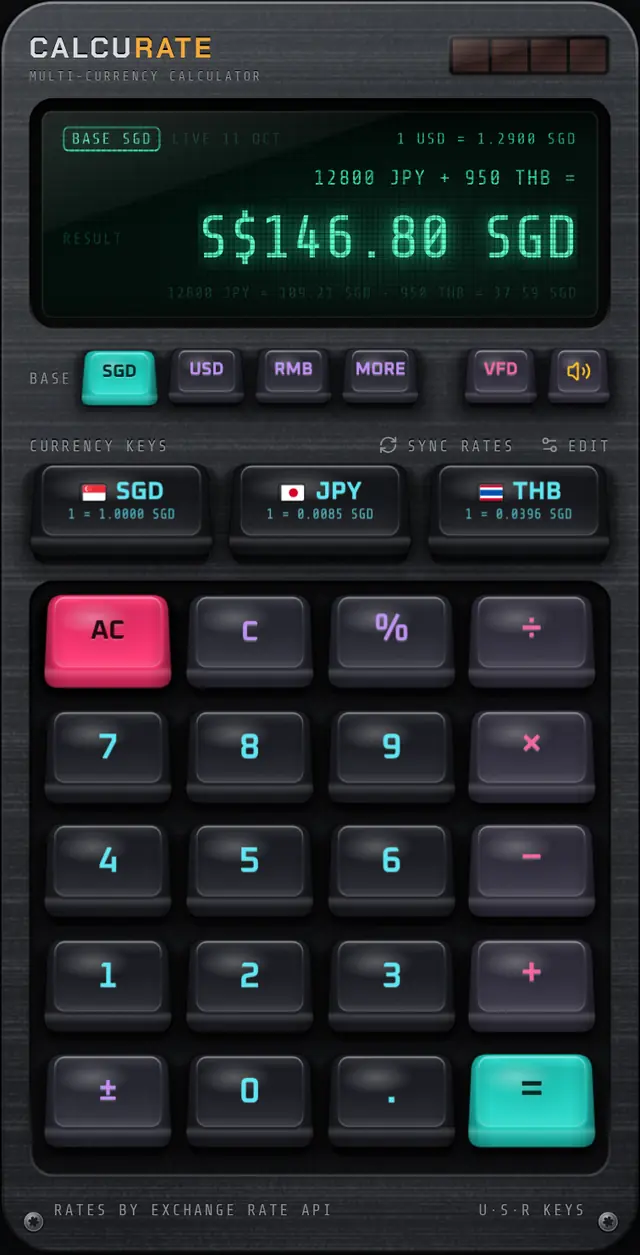
In a currency calculator that accepts mixed currencies, you type that line exactly as shown, with each amount tagged, and get one total in your home currency. In Calcurate you set USD as the base currency, put THB and MYR on the quick currency keys, and tap each key after its amount. The breakdown line shows every conversion so you can sanity-check each one. The multi-currency maths page walks through the keys.
Food, transport and small daily spending are harder to list item by item. One option is to track those as a weekly cash or card total per currency and add the weekly totals at month end.
How much buffer should you add?
Add a percentage on top of your estimate to cover exchange rate moves and the fees your bank or card may charge. Reference rates are a fair yardstick, but the rate you actually get is often a little worse, and charges vary by provider. Our guide to the mid-market rate explains why.
A percent key that works like a desk calculator makes this one step.
Ten percent is just an example. After two or three months, compare your estimates with your real statements and set the buffer to match what you actually see.
Tip: Watch out for card terminals and cash machines that offer to charge you in your home currency. That is dynamic currency conversion, and the rate is set by the merchant or machine operator. Our guide to dynamic currency conversion explains when to decline it.
How do you compare the cost of living in two cities?
Convert both months to your home currency and divide by the number of days. A daily cost is easier to compare than a monthly one, because stays rarely line up with calendar months.
If your calculator lets you press an operator straight after =, the answer carries forward into the next calculation, so you can go from the monthly total to the daily figure without retyping.
Now suppose you are considering a month in Europe and you have quotes in euros: an apartment at 1,100 EUR and a coworking membership at 180 EUR. At an example rate of 1 EUR = 1.10 USD:
Divide by 30 and housing plus desk alone comes to about 46.93 USD a day, against 20.00 USD a day for the same two items in the Thai example (21,600 THB, or 600 USD, over 30 days). Numbers like these make the trade-off concrete before you book.
For a wider look at planning a trip budget, see how to plan a trip budget in multiple currencies.
How do you check income against spending?
Put income and spending in the same sum, in the same home currency. If a client pays 3,000 EUR and your month cost 740 USD, the calculator can subtract one from the other directly.
That uses the same example rate of 1 EUR = 1.10 USD. Change the base currency while the answer is on screen and Calcurate recalculates it instantly, so you can see the same surplus in euros without retyping anything. If you invoice clients in more than one currency, our freelancer guide to multi-currency invoices covers the invoicing side.
What tools do you actually need?
You need somewhere to record expenses and something to do the currency maths. They do not have to be the same tool.
- A record. A spreadsheet, a notes app or a budgeting app, with a column for the original currency and amount. Keep receipts if you might claim expenses back.
- A currency calculator. For totals, buffers and comparisons. Calcurate is a calculator, not an expense tracker, so it does not store a log of your spending; it is there for the maths.
- Your bank or card statements. The final word on what you were actually charged.
Rates matter less than consistency. Use the same source each month and your comparisons will hold up. Calcurate shows where its rates came from and the date they were published, and it keeps working offline. It reuses cached rates for an hour; after that, without a connection, it switches to bundled rates that go out of date and shows OFFLINE, so treat those results as rough estimates. More on that on the live exchange rates page.
A monthly routine that takes ten minutes
- List fixed costs (rent, desk, subscriptions) in their original currencies.
- Add weekly totals for food, transport and everything else, per currency.
- Convert and total everything in your home currency in one calculation.
- Add your buffer percentage.
- Divide by days for a daily cost and compare it with last month.
- Subtract the total from the month's income to see what you saved.
Do this at the end of every month and you will know your real cost of living in each place, in the currency you earn. This is general budgeting guidance, not financial or tax advice; for tax questions about income in several currencies, talk to a qualified adviser.
FAQ
Questions people also ask
Which currency should a digital nomad budget in?
Most people budget in the currency they are paid in, because that is what they actually have to spend. If you are paid in several currencies, pick the one your savings are held in.
How do I add up expenses paid in different currencies?
Convert each amount to one home currency at a consistent rate and then add them. A currency calculator that accepts amounts in different currencies in one sum does the conversion and addition in a single step.
How big a buffer should I add for exchange rates?
There is no fixed rule. You might start with a percentage such as 5 or 10 percent to cover rate moves and fees, then adjust once they see how their real card statements compare with their estimates.
Should I use the rate on my card statement or a reference rate?
For planning, a reference rate is consistent and easy to check. For tax or client reimbursements, use whatever your accountant, tax authority or contract specifies.