Feature
Keycap Studio: six sets, one long press
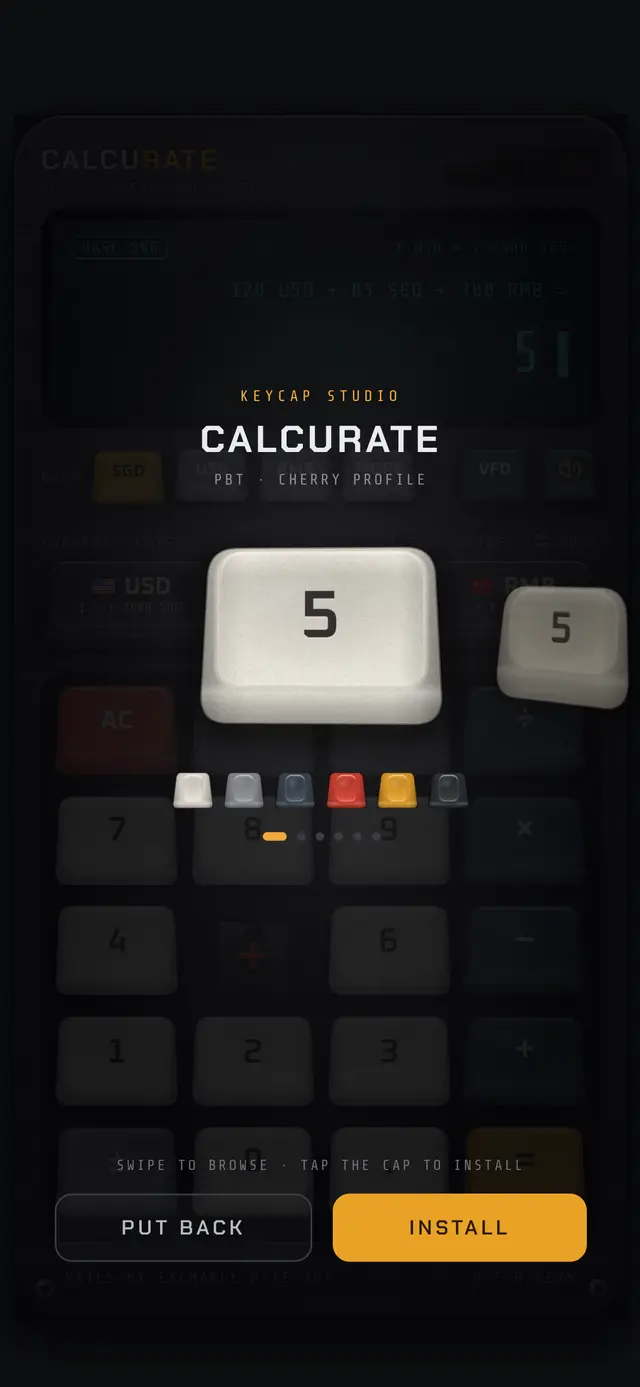
Hold any key for 3 seconds. The cap starts to rock, pops off the switch and floats up. Swipe to browse, tap INSTALL, and watch the new set ripple across the board.
How to change keycap sets
Hold any key for 3 seconds
The cap rocks almost at once, then pops off its switch and floats up into the Keycap Studio.
Swipe through the sets
Swipe left or right to browse the 3D carousel of six sets. The name, material and profile are shown above the cap.
Install
Tap INSTALL or the cap. It slams back onto its switch and the shock pops every other cap off in a wave, with the new set dropping in behind it.
Or put it back
Tap PUT BACK to return the original cap. Your chosen set is saved with your other settings.
The six keycap sets
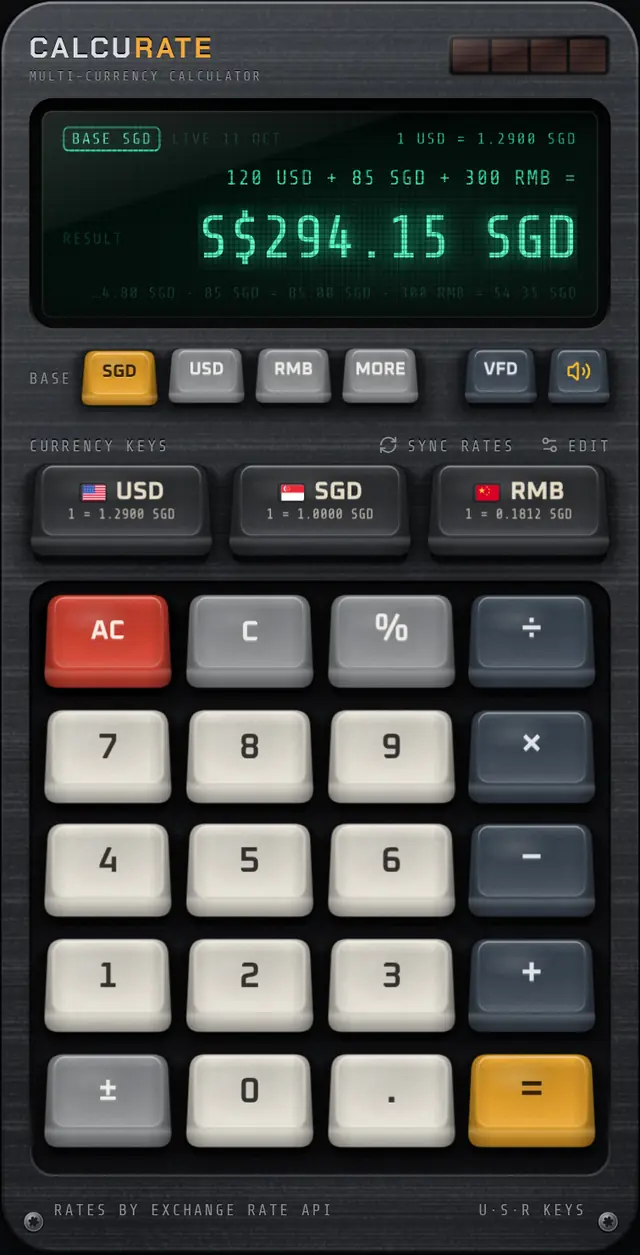
PBT · CHERRY PROFILE
The default set: warm off-white PBT numbers, cool grey modifiers, slate operators, a red AC and an amber equals key.
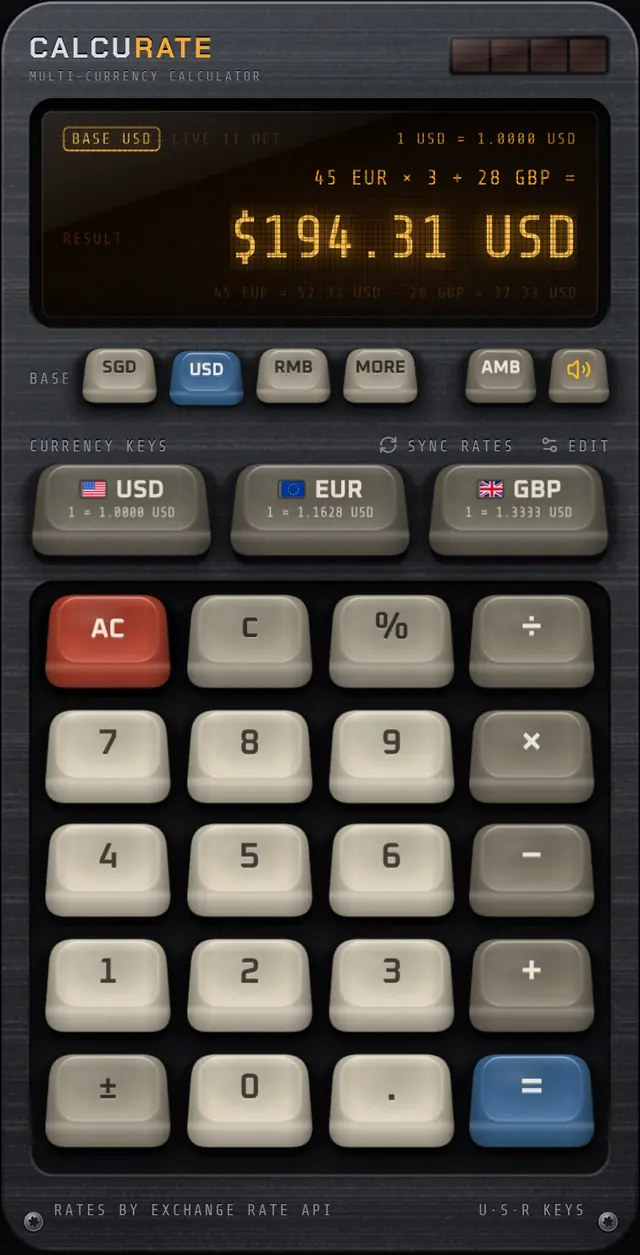
PBT · SA PROFILE
Retro beige caps in the tall, rounded SA profile with a deep dish, like a vintage computer terminal. A blue equals key finishes it.
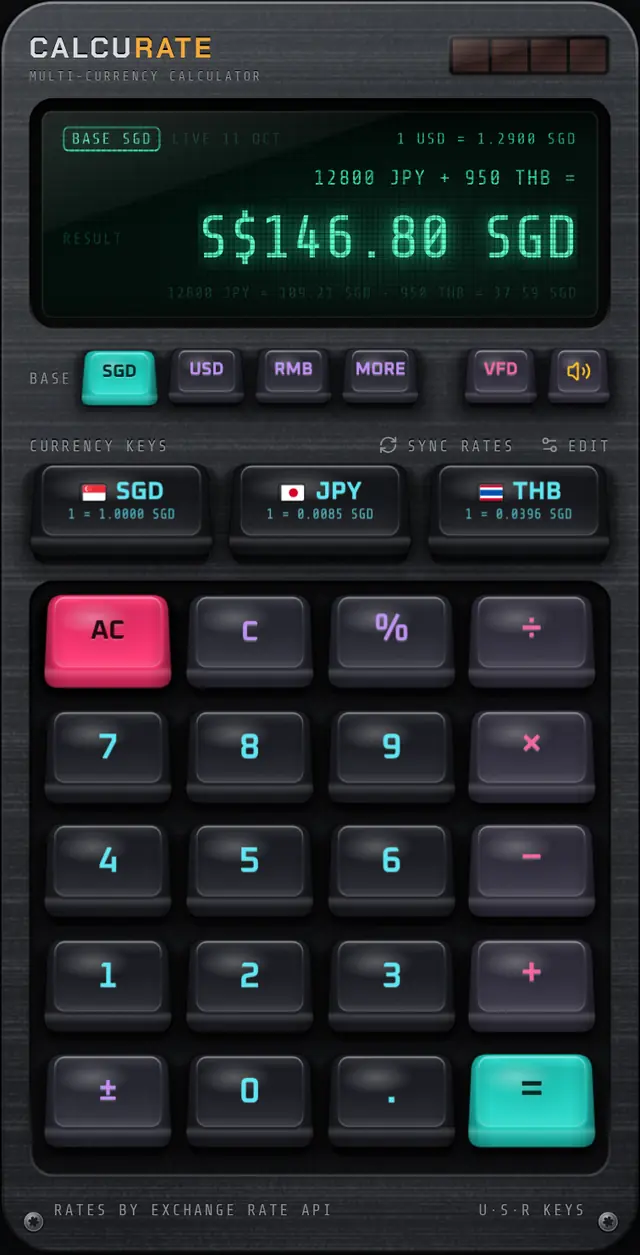
DOUBLESHOT ABS · CHERRY PROFILE
Dark, glossy doubleshot ABS with cyan, violet and pink legends, a hot pink AC and a teal equals key.
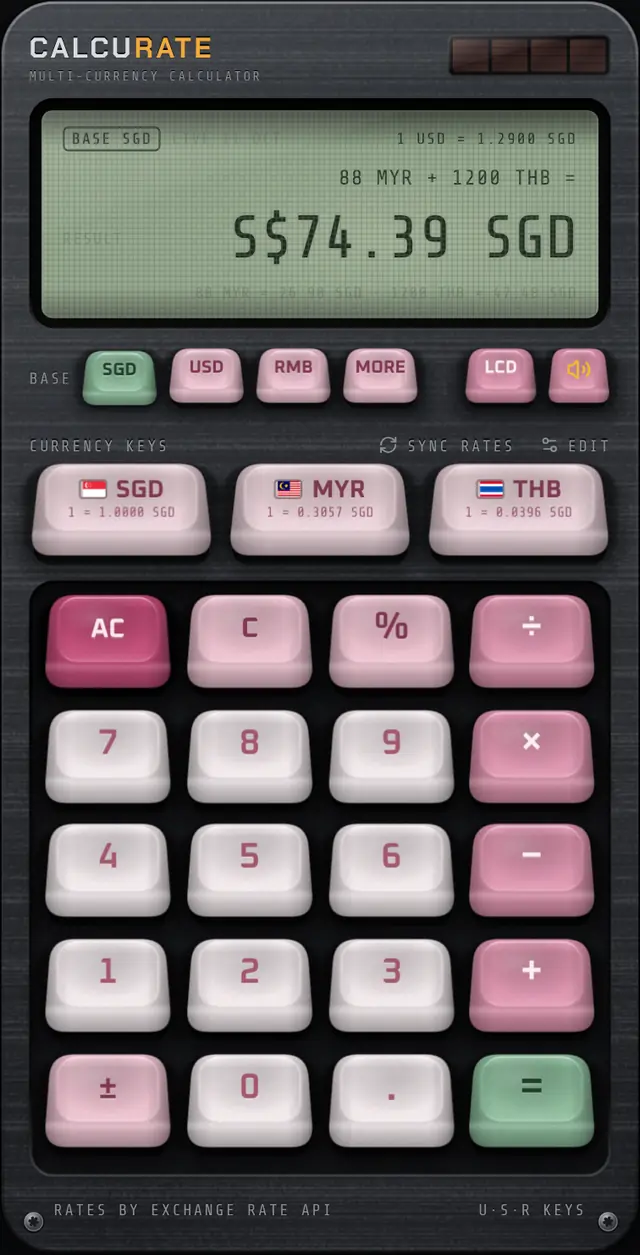
PBT · SA PROFILE
Soft cream and blossom pink in the SA profile, with a sage green equals key.
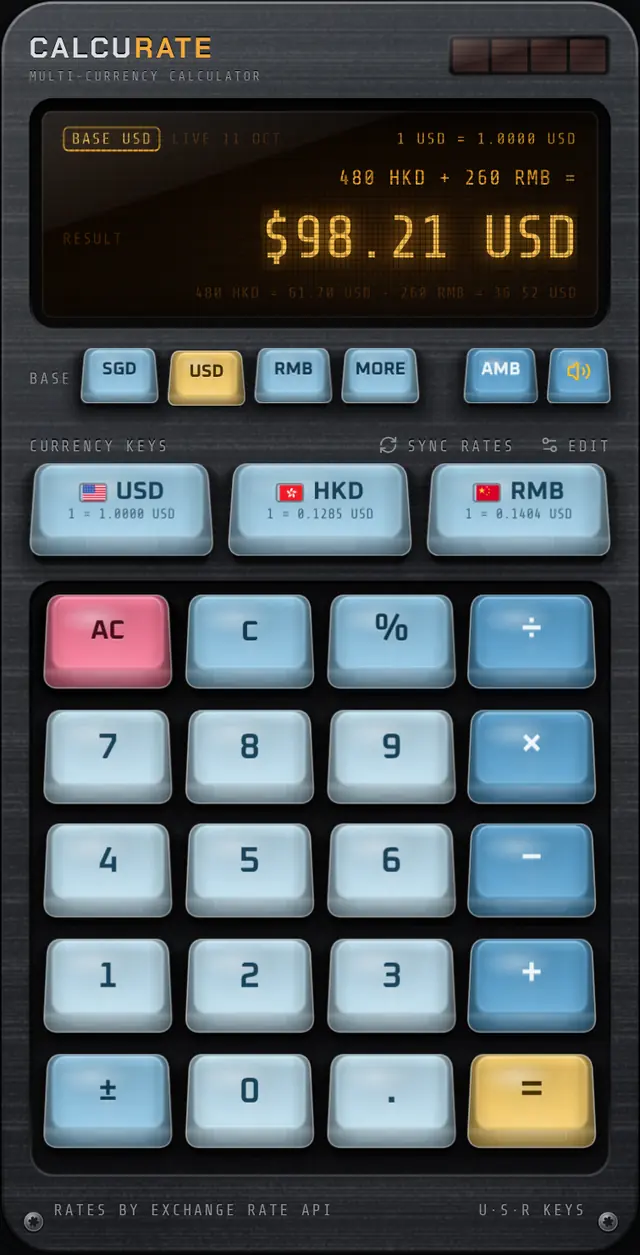
TRANSLUCENT · CHERRY PROFILE
Translucent icy blue caps that let the switch show through, with a coral AC and a yellow equals key.
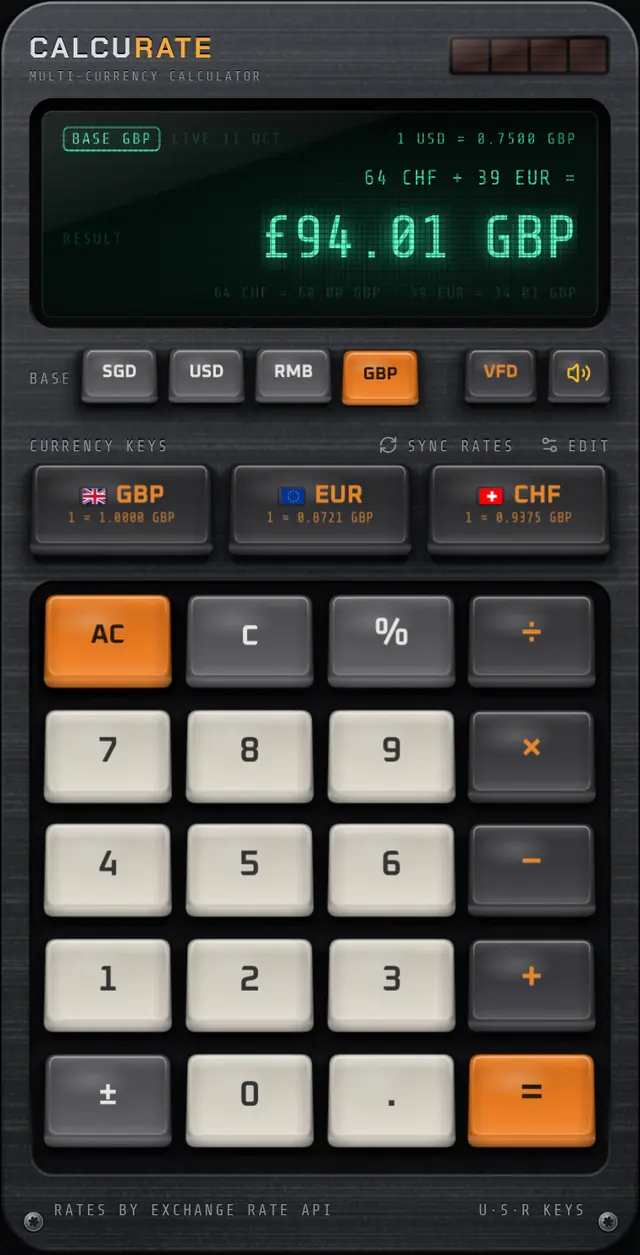
DOUBLESHOT ABS · LOW PROFILE
Low-profile caps with thin walls and near-flat tops: grey and black with orange accents.
Profiles and materials, modelled
The sets are not just colour swaps. Each one has a profile and a material:
- Cherry profile: medium height with a cylindrical dish.
- SA profile: tall and rounded with a deep spherical dish, in the style of vintage terminals.
- Low profile: near-flat tops and thin walls.
- PBT reads dry and matte, doubleshot ABS smoother and shinier, and translucent caps let the switch glow through.
New to keycap jargon? Read keycap profiles explained.
FAQ
Keycap Studio: common questions
How do I change the keycaps in Calcurate?
Hold any key for 3 seconds until its cap pops off, swipe through the sets, then tap INSTALL. Tap PUT BACK to cancel.
How many keycap sets are there?
Six: Calcurate (the default), Terminal, Midnight Neon, Sakura, Ice Jelly and Carbon.
Is my keycap set saved?
Yes. The set you install is saved on your device along with your other settings.
Related guides
Keycap Profiles Explained: Cherry, SA, OEM and Low Profile
Keycap profiles explained simply: how Cherry, OEM, SA and low profile caps differ in height and shape, plus PBT vs ABS plastic and what doubleshot legends mean.
17 Sep 2026 · 5 min readKeyboards & designWhy Do Mechanical Keyboards Sound Good? The Science of Thock
Why do mechanical keyboards sound good? Switch type, keycap plastic, the case and the down and up strokes all shape the sound. Here is how each part works.
27 Aug 2026 · 6 min readTravel moneyBest Currency Calculator App: A Buyer's Checklist for 2026
The best currency calculator app lets you mix currencies in one sum, shows where its rates come from and works offline. Use this checklist before you install.
8 Oct 2026 · 7 min readMore features
Multi-currency maths
Calcurate lets you add, subtract, multiply and take percentages of amounts in different currencies in one sum,…
Live exchange rates
Daily mid-market rates from ExchangeRate-API, a European Central Bank fallback and an offline mode. Calcurate …
Mechanical keypad
Calcurate’s keypad uses real mechanical switch recordings, keys that fire on the way down and haptics, so ever…
Home screen widgets
Calcurate widgets show exchange rates on your iPhone or Android home screen, and the large widget has a number…
Display tints
Switch Calcurate’s display between a glowing emerald vacuum-fluorescent (VFD) look, warm amber phosphor and a …
Download
Your next trip deserves a better calculator.
Mix currencies in one sum, see every conversion, and enjoy pressing the keys. Calcurate is on the App Store and Google Play.