How to Compare Prices in Different Currencies Online
Compare prices in different currencies the right way: convert to one currency, add shipping, tax and card costs, then compare the landed cost. With examples.
To compare prices in different currencies, convert every option into one currency, then add shipping, any import tax and card costs to get the landed cost. Compare landed costs, not sticker prices: a cheaper price abroad can end up more expensive once everything is added.
- Convert every price into one currency before comparing; your home currency is usually the clearest choice.
- Compare landed cost: item price plus shipping, import tax or duty, and any card or conversion costs.
- US prices are usually shown before sales tax, while UK, EU and many other prices include VAT or GST.
- Import tax rules and thresholds differ by country, so check your own customs authority.
- Pay in the store's currency rather than accepting a checkout conversion to your own currency.
The same pair of headphones might be listed at 349 USD, 299 GBP and 52,800 JPY on three different websites. Which is cheapest? You cannot tell by looking, and converting the sticker prices is only the first step. This guide shows how to compare prices in different currencies properly, with a full worked example. Every exchange rate and percentage here is an illustrative example, not a current figure.
What is the right way to compare prices across currencies?
Convert every option into one currency, then compare the landed cost: the price plus everything else you will pay to get the item to your door. Sticker prices alone are misleading because shipping, taxes and payment costs vary between stores and countries.
Landed cost is made up of:
- Item price, converted to your currency.
- Shipping, which can be large for international orders.
- Sales tax, VAT or GST charged by the store, if any.
- Import duty or tax charged by your country on arrival, if any.
- Card or conversion costs, such as a foreign transaction fee from your card issuer.
Which currency should you compare in?
Your home currency, almost always. It is the currency your budget is in and the one your card statement will show. The worked example below uses Singapore dollars as the home currency, with these example rates:
- 1 USD = 1.30 SGD
- 1 GBP = 1.75 SGD
- 1 SGD = 115 JPY
A worked example: one product, four stores
Start with the sticker prices and shipping from each store:
| Store | Price | Shipping | Total in store currency | In SGD (example rates) |
|---|---|---|---|---|
| US store | 349 USD | 30 USD | 379 USD | 492.70 SGD |
| UK store | 299 GBP | Free | 299 GBP | 523.25 SGD |
| Japan store | 52,800 JPY | 3,000 JPY | 55,800 JPY | 485.22 SGD |
| Local store | 519 SGD | Free | 519 SGD | 519.00 SGD |
On sticker price plus shipping, the Japan store looks cheapest and the UK store the most expensive. That is not the end of it.
How do taxes change the comparison?
Taxes can flip the ranking. There are two places tax can appear: in the store's price, and at your border.
Tax in the store's price. US online prices are usually shown before sales tax, which depends on the delivery address. UK and EU prices usually include VAT. Some UK and EU stores remove VAT on orders shipped outside their region and some do not, so check the total at checkout with your delivery address entered.
Import tax at home. Many countries charge duty, VAT or GST on imported goods, sometimes even on low-value orders. Rules and thresholds differ, so check your own customs authority. If import tax applies, add it with a percentage. Using 9% as an example rate on the US order:
Now the US option, which looked like a saving, costs more than the local store at 519 SGD. The Japan order would face the same question.
Tip: Enter your real delivery address before comparing checkout totals. Many stores only show final tax and shipping once they know where the parcel is going.
What about card fees and checkout conversion?
Add them in, because they are part of the cost. Many cards charge a foreign transaction fee when you pay a store in another currency or a store based abroad. Some cards charge nothing. Check your card terms rather than assuming.
At checkout, some stores and payment pages offer to charge you in your own currency. That is dynamic currency conversion, and the rate is set by the merchant or payment provider, often less favourably than your card network's. Paying in the store's currency is usually cheaper.
Remember too that most calculators and converters show the mid-market rate, while your card will apply its own rate. The difference is usually small, but on close comparisons it can decide the winner.
What else should you compare besides price?
A few non-price factors can be worth more than a small saving:
- Returns. Sending an item back overseas can be slow and costly.
- Warranty. Some warranties only apply in the country of purchase.
- Compatibility. Plugs, voltage, region locks and language settings differ between markets.
- Delivery time. International shipping, plus customs clearance, can add days or weeks.
How can you do these conversions faster?
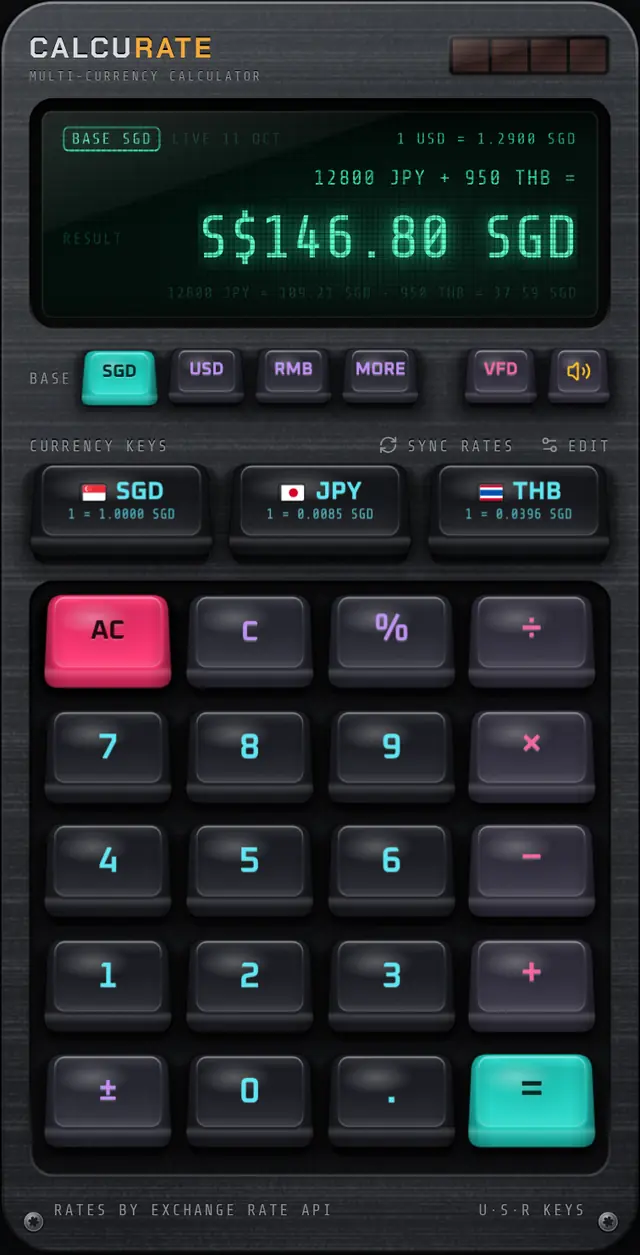
Use a calculator that understands currencies, so each line is one step instead of two. In Calcurate you tag each amount with a currency key and press =. The answer appears in your base currency, with a breakdown line showing each conversion. Set your three quick currency keys to the stores' currencies (for example USD, GBP and JPY) with your home currency as the base (if it is one of the base currencies Calcurate offers), and tap EDIT whenever you need a different trio.
The percent key works like a desk calculator, so 492.70 + 9% adds import tax in one step, and 519 − 10% checks a discount code. You can also change the base currency while an answer is on screen to see it in another currency instantly. More on the multi-currency maths page, and the full list of supported currencies is here. Calcurate uses live mid-market reference rates with their source and date shown.
How do you compare unit prices across currencies?
Convert the price, then divide by the quantity. This matters for things sold in different pack sizes in different countries, such as coffee beans or supplements. For example, a 1 kg bag at 38 USD against a 500 g bag at 24 GBP:
Then add shipping and taxes to each as before.
A quick checklist for comparing prices in different currencies
- Choose one comparison currency, normally your own.
- Convert each item price and its shipping.
- Check whether the price includes sales tax, VAT or GST at checkout.
- Check whether your country charges import tax on the order.
- Add card fees, and pay in the store's currency.
- Compare landed cost, then weigh returns, warranty and delivery time.
For the basics of adding amounts in mixed currencies, see how to add prices in different currencies. If you are buying in person rather than online, our Japan yen shopping guide applies the same thinking at the till.
FAQ
Questions people also ask
What is the best way to compare prices in different currencies?
Pick one currency, usually your own, and convert every option into it. Then add shipping, import charges and card costs to each so you compare the full landed cost rather than the sticker price.
Do US online prices include tax?
US prices are usually shown before sales tax, which is added at checkout depending on where the order is delivered. Prices in the UK, EU and many other places usually include VAT or GST already.
Will I pay import tax on goods bought from overseas?
You might. Many countries charge duty, VAT or GST on imported goods, and some apply it even to low-value orders. Check your own customs authority, because rules and thresholds differ.
Should I pay in my currency or the store's currency at checkout?
Usually the store's currency. If the checkout offers to convert to your currency for you, the rate it uses is often less favourable than your card network's rate.