Pay in Local Currency or Home Currency? DCC Explained
When a card machine abroad asks to pay in local currency or home currency, local is usually cheaper. Here is why, plus how to check the offer in seconds.
When a card terminal or ATM abroad asks whether to pay in local currency or your home currency, choosing local currency is usually the cheaper option. Choosing your home currency triggers dynamic currency conversion (DCC), where the merchant or ATM operator sets the exchange rate, and that rate often includes a markup. Paying in local currency lets your own card network do the conversion instead.
- Dynamic currency conversion (DCC) is when a merchant or ATM converts the price into your home currency for you.
- The DCC rate is set by the merchant's provider and often includes a markup over the mid-market rate.
- Choosing local currency lets your card network convert, which is usually closer to the mid-market rate.
- You can check any DCC offer on the spot by comparing it with a mid-market conversion.
- Your card may still charge a foreign transaction fee either way, so know your card's terms.
You are paying for dinner abroad, and the card machine shows two options: the bill in the local currency, or the same bill in your home currency. The home currency option looks convenient because you can see exactly what you are paying. In most cases it is the more expensive choice. This is called dynamic currency conversion, and once you know how it works, the decision takes a second.
Should you pay in local currency or home currency?
Pay in local currency in almost every case. When you choose your home currency, the merchant's payment provider converts the price at a rate it sets, and that rate often includes a markup over the mid-market rate. When you choose local currency, your own card network does the conversion, which is usually closer to the mid-market rate. Your card may still add its own foreign transaction fee, but on some cards that applies whichever option you pick.
What is dynamic currency conversion (DCC)?
Dynamic currency conversion is a service that converts a foreign price into your home currency at the point of sale. The terminal recognises that your card was issued in another country and offers to charge you in that country's currency. If you accept, the conversion happens at the merchant's end, using an exchange rate chosen by their provider. The merchant or provider may earn a share of the margin, which is one reason the option is offered so often.
You will usually see it in these places:
- Card terminals in shops, restaurants and hotels.
- ATMs abroad, which may offer to "lock in" a rate or show your withdrawal in your home currency.
- Online checkouts on foreign websites that display prices in your currency.
- Hotel and car rental checkouts, where it may be pre-selected on the paperwork.
How much more does DCC cost?
It varies by provider, merchant and country, so there is no single figure. What you can do is measure the difference yourself, because the terminal shows you its offer. Here is an illustrative example.
Your dinner bill is 80 EUR. Your home currency is SGD. The example mid-market rate is 1 EUR = 1.45 SGD. The terminal offers to charge you 121.80 SGD.
In this example, the home currency option costs 5% more than the mid-market amount. If your card would charge, say, a smaller percentage as a foreign transaction fee on the local currency payment, local currency is cheaper. If your card has no foreign fee, the gap is even wider. All numbers here are illustrative; check your own card's terms and the actual rate on the screen.
Tip: The terminal usually shows its exchange rate in small print, sometimes with a "markup" percentage. Even without doing any maths, a stated markup tells you the conversion is not free.
How do you spot the DCC question on a card machine?
Look for a screen that shows two amounts, one in the local currency and one in yours. The wording differs, but common versions include:
- "Pay in EUR or SGD?"
- "Would you like to pay in your home currency?"
- "Accept conversion" or "Decline conversion"
- "Without conversion" at an ATM
Choose the local currency option, or the one that declines conversion. Sometimes staff hand you the terminal with the choice already made, or ask "your currency?" as a friendly question. Saying "local currency, please" is perfectly normal.
What should you do if you were charged in your home currency by mistake?
Check the receipt before you sign or leave. If it shows your home currency and an exchange rate, you were charged with DCC. Ask the merchant to cancel and rerun the payment in local currency. Card network rules generally require that you are given the choice, so a merchant should be able to redo it. If you only notice later, contact your card provider and ask what options you have. Policies differ, so there is no guaranteed outcome.
Is accepting the conversion ever the better choice?
Rarely, but it can be close. If your card charges a high foreign transaction fee and the DCC offer happens to carry a small markup, the two can come out similar. The honest answer is that you can only know by comparing on the spot: the DCC amount against the mid-market conversion plus your card's fee. If you cannot check quickly, choosing local currency is the safer default.
Some travellers also accept DCC because they like knowing the exact amount in their home currency at the moment they pay. That certainty has a price, and in most cases you are paying for it through the rate.
How to check a DCC offer in a few seconds
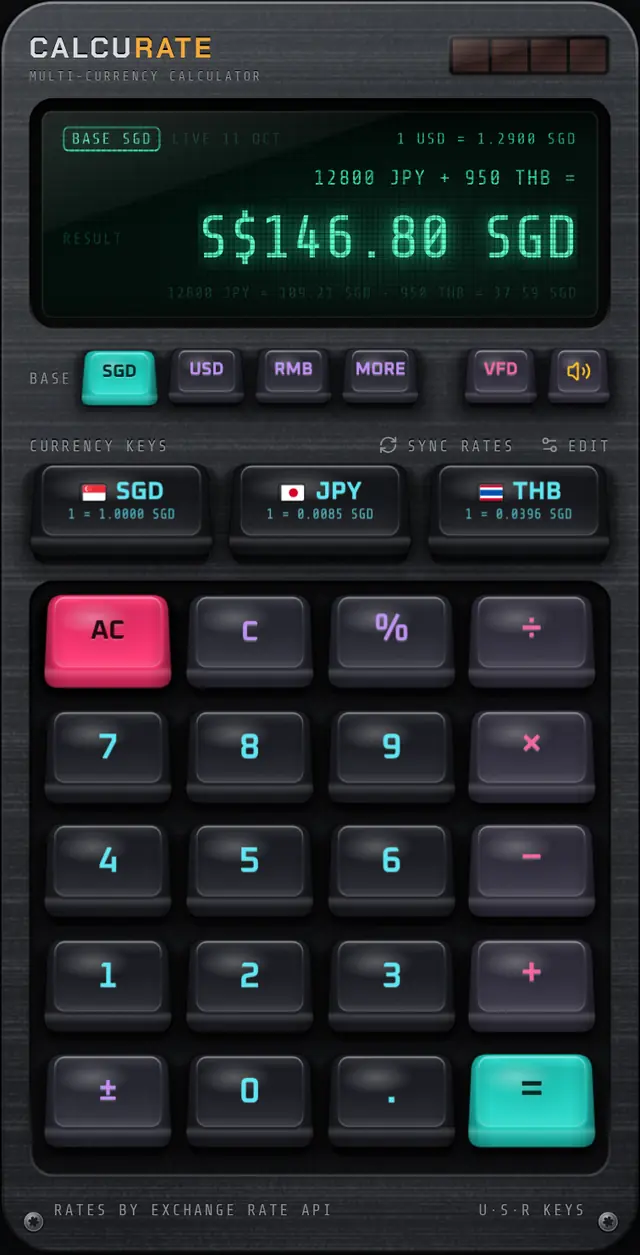
All you need is the mid-market conversion of the bill. In Calcurate, set your base currency to your home currency (SGD in this example), type 80, tap EUR (use EDIT to put EUR on one of your three quick currency keys if it is not there) and press =. The display shows the mid-market equivalent (116.00 SGD at the example rate above), along with the source and date of the rates. Compare that with the number on the terminal. If the terminal's figure is clearly higher, choose local currency.
The rates Calcurate uses are mid-market reference rates, not a bank's or card's buy or sell rate, which is exactly the yardstick you want for this comparison. Without data, the app reuses cached rates for up to an hour, then switches to bundled rates that go out of date and shows OFFLINE. Treat an OFFLINE figure as a rough estimate, and open the app while you are connected before heading out. The live exchange rates page explains where they come from.
If you set up a home screen widget for your home currency and the local one, you can see the rate without even opening the app.
Rules of thumb for paying abroad
- Pay in local currency at card terminals and online checkouts.
- Decline conversion at ATMs.
- Read the screen before you tap or insert your card.
- Check the receipt for a home currency amount and an exchange rate.
- Know your card's fees so you can compare honestly when it matters.
- Add tips and service charges in local currency too. Our guide to percentages abroad covers how.
To understand why the mid-market rate is the right comparison, read what the mid-market rate is. If you are planning a trip, build these choices into your travel budget in multiple currencies, and see how multi-currency maths makes totalling mixed receipts quicker. Nothing in this guide is financial advice; it is a way to check the numbers yourself.
FAQ
Questions people also ask
Should I pay in local currency or my home currency abroad?
In most cases, pay in local currency. Choosing your home currency means the merchant converts the price using its own exchange rate, which often includes a markup. Local currency lets your card network convert it.
What is dynamic currency conversion?
Dynamic currency conversion (DCC) is a service offered at card terminals, ATMs and some online checkouts that shows the price in your home currency instead of the local one. The exchange rate is set by the merchant's payment provider, not your bank.
Is it ever better to accept the conversion?
Occasionally the difference is small, for example if your card charges a high foreign transaction fee. The only way to know is to compare the offered amount with a mid-market conversion plus your card's fee.
What should I choose at a foreign ATM that offers conversion?
Look for the option to decline the conversion, often worded as "without conversion" or "decline conversion". That lets your card provider convert the withdrawal instead of the ATM operator.