Offline Currency Converter: How to Convert Without Data
An offline currency converter uses exchange rates saved on your phone. Learn how to prepare before a trip, how accurate stored rates are and what to check.
An offline currency converter works by using exchange rates stored on your phone when you have no connection, either rates it downloaded earlier or rates built into the app. Apps differ in how long they reuse downloaded rates, so check how yours behaves, look at the date or status shown with the rates, and treat offline results as estimates rather than the exact amount your card will charge.
- Offline conversion relies on rates stored on your phone, either downloaded earlier or built into the app.
- Apps differ in how long they reuse downloaded rates, so test yours in airplane mode before you travel.
- Always check the date or status shown with the rates. A converter should tell you how old they are, or that it is offline.
- For everyday purchases, rates a few days old are usually close enough for a decision; rates built into an app can be much older.
- Learn one or two mental shortcuts as a fallback if your phone battery dies.
The moments you most need to convert a price are often the moments you have no signal: stepping off a long flight, browsing a market where your roaming has not kicked in, or riding a train through the countryside. An offline currency converter helps, as long as you set it up before you lose connection and know which rates it will use without one. Here is how offline conversion works, how accurate it is and what to do before you travel.
How does an offline currency converter work?
It converts using exchange rates stored on your phone. Depending on the app, those are rates it downloaded while you were online, rates built into the app, or a mix of both. The maths itself (amount multiplied or divided by a rate) needs no internet at all. Only the rates do. So an offline converter is really two things: a calculator, and a local copy of exchange rates.
That has one important consequence. The answer you get offline is only as good as the rates the app is using at that moment. If they are from this morning, great. If they are weeks or months old, the result could be noticeably off. Apps also differ in how long they keep using downloaded rates, so it pays to know what yours does.
When do you actually need offline conversion?
- Right after landing, before your SIM or eSIM connects, when you are looking at taxi fares and airport prices.
- With roaming switched off to avoid charges, relying on Wi-Fi only at your hotel.
- In places with weak coverage: rural areas, mountains, islands, ferries and some underground transit.
- When networks are slow or crowded, such as at festivals and stadiums.
- To save battery in airplane mode on a long day out.
How accurate are saved exchange rates?
For day-to-day spending, rates a few days old are usually close enough. Major currencies tend to move by small amounts on a typical day, though bigger moves do happen, especially around major news. Here is what a small rate change means in practice.
Say your phone saved an example rate of 1 SGD = 25.00 THB, and by the time you are shopping the rate has moved to an example 1 SGD = 25.30 THB.
| Price | With saved rate (25.00) | With newer rate (25.30) | Difference |
|---|---|---|---|
| 3,000 THB | 120.00 SGD | 118.58 SGD | 1.42 SGD |
| 50,000 THB | 2,000.00 SGD | 1,976.28 SGD | 23.72 SGD |
On a street-food meal, the difference is pocket change. On a big purchase, it starts to matter. The rule of thumb is simple: recent rates are fine for deciding whether to buy something; fresh rates are better for anything you need to record exactly. Older rates, such as ones built into an app, deserve a bigger margin.
Also remember that no converter, online or offline, shows exactly what your card will charge. Your card provider converts at its own rate when the payment is processed, and some cards add a fee. A converter using the mid-market rate gives you a fair reference point, not your final bill.
What should you do before you go offline?
Get your converter ready while you still have a connection, and find out what it does without one. A short checklist:
- Install your converter at home, not at the airport, and open it once so it downloads rates.
- Set up the currencies you need for the trip, including any countries you pass through.
- Find out how long it keeps downloaded rates. Some apps reuse them only briefly and then switch to older built-in rates, so a refresh before your flight may not last the whole trip.
- Check the rate date on screen. It should show today or the most recent working day.
- Test it in airplane mode, ideally a few hours after your last refresh, to see which rates and status it shows without a connection.
- Write down the current rate for each currency, so you have a recent reference to check offline results against.
- Refresh again whenever you are back on Wi-Fi during the trip.
Tip: Some official reference rates, such as the European Central Bank's, are published on working days only. If you check on a Sunday and see Friday's date, that is normal, not a sign your converter is broken.
What should an offline converter tell you?
A good one is honest about its data. Look for these signs:
- The date of the rates, visible on the main screen, not hidden in a menu.
- The source of the rates, so you know whether they are live market rates or a fallback.
- A clear offline indicator when it cannot fetch fresh data.
- A manual refresh button for when you get a brief window of Wi-Fi.
- No account needed, so it works the first time you open it without a login screen.
How Calcurate handles being offline
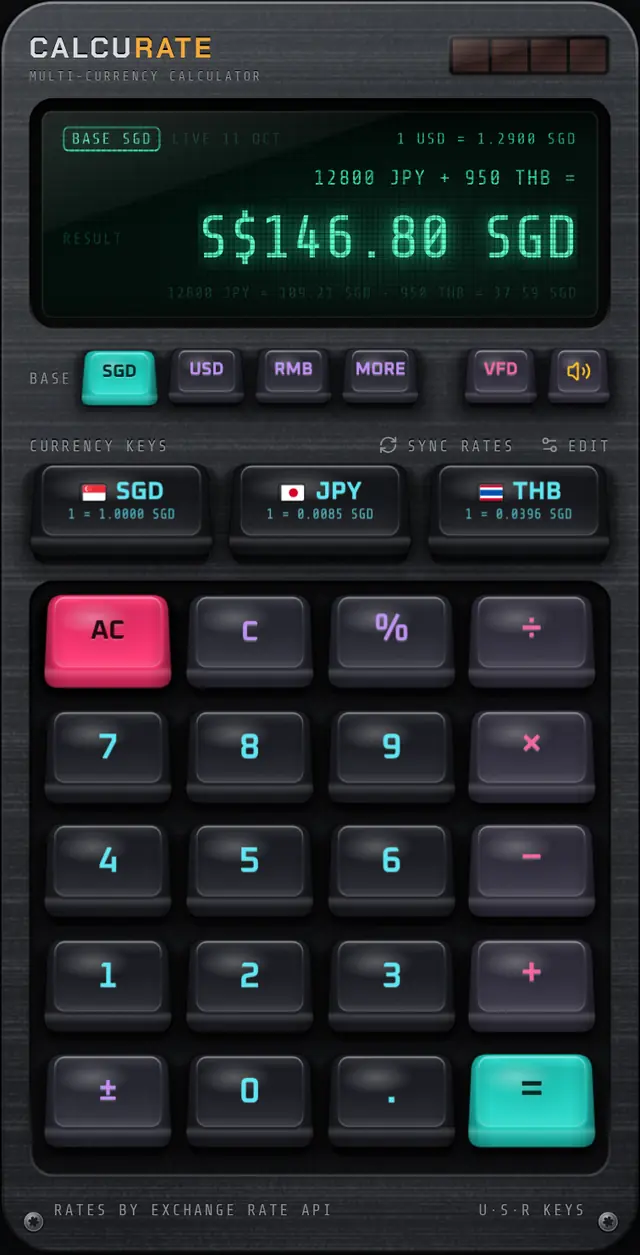
Calcurate keeps calculating when you lose signal, and tells you where its rates came from.
- One-hour cache. Rates are cached on the device for an hour. Within that hour the app reuses them without going online.
- Bundled rates after that. If the app cannot reach either rate source and the cached rates are more than an hour old (or there are none), the calculator uses rates bundled with the app and the display says
OFFLINE. Bundled rates are fixed when the app version is released and go out of date, so treatOFFLINEresults as rough estimates. - Source and date on screen. With downloaded rates, the display shows where they came from and when they were published, for example
LIVE 10 OCTorECB 09 OCT. - SYNC RATES fetches fresh rates on demand when you have a connection. Tapping it on airport Wi-Fi gives you current rates for up to an hour offline, not for the whole trip, so tap it again whenever you are back online.
If you will be offline for long stretches, note the current rates before you lose signal and use them to sanity-check any OFFLINE result.
Rates come from ExchangeRate-API, updated once a day, with European Central Bank reference rates as a backup. There is no account or sign-up. The live exchange rates page explains the details.
You can also mix currencies in one sum offline, such as 3000 THB + 45 SGD, using the cached rates within that hour or the bundled rates after it. Home screen widgets work from rates too: Android widgets refresh hourly from the app's cached rates, while iOS widgets get rates from the app each time they load. See home screen widgets for setup.
What if your phone dies?
Keep a mental shortcut for each currency you are using. At an example rate of 1 SGD = 25 THB, you can divide by 100 and multiply by 4: 3,000 THB becomes 30, then 120 SGD. Write the shortcut on a note in your wallet. Our guide to mental maths for currency conversion has shortcuts for common pairs.
Quick summary
- Offline conversion uses rates stored on your phone, downloaded earlier or built into the app.
- Know how long your app keeps downloaded rates, and check the rate date or offline status.
- Recent rates are fine for spending decisions; use fresh ones for anything exact.
- Your card's charge will usually differ from any converter's figure.
Planning the whole trip? Pair this with a travel budget in multiple currencies, and check the FAQ for more on how Calcurate's rates work.
FAQ
Questions people also ask
Can a currency converter work without internet?
Yes, if it stores exchange rates on your device. Some apps keep using the rates they last downloaded; others reuse them only for a short time and then fall back to rates built into the app. Either way, the results are only as current as the rates it is using.
How accurate is an offline currency converter?
It is as accurate as the rates it is using. Major currencies usually move only a little from day to day, so rates from a few days ago are normally fine for deciding whether something is worth buying, but not for exact accounting. Rates built into an app can be much older, so treat those as rough estimates.
How do I update exchange rates before a trip?
Open your converter on Wi-Fi shortly before you leave and use its refresh or sync option. Check that the rate date on screen has changed to today or the most recent working day.
Does converting currency offline use roaming data?
A converter that uses saved rates does not need any data to do the calculation. It only uses data when it fetches fresh rates, which you can do on Wi-Fi.